Overwatch 2 Season 10 Offers Legendary Cyclops Roadhog Skin as Free Twitch Drop
Overwatch 2's Season 10 Twitch drop offers the legendary Cyclops skin for Roadhog, a formidable and highly coveted cosmetic, delighting the community. This strategic giveaway boosts engagement, allowing players to earn this epic skin by linking accounts and watching streams.
In the ever-evolving landscape of Overwatch 2, one of the most anticipated traditions for the player base is the seasonal Twitch drop—a free-to-earn cosmetic that allows fans to spice up their hero collections without dipping into their virtual wallets. For Season 10, Blizzard Entertainment has turned heads by selecting a previously premium cosmetic as the featured giveaway: the formidable Cyclops skin for the Tank Hero, Roadhog. This legendary skin, once locked behind the paywall of the Battle For Olympus event, is now up for grabs as a complimentary reward, much to the delight of the community. It's a classic case of 'better late than never,' and players are absolutely stoked to add this mythical monstrosity to their arsenal.
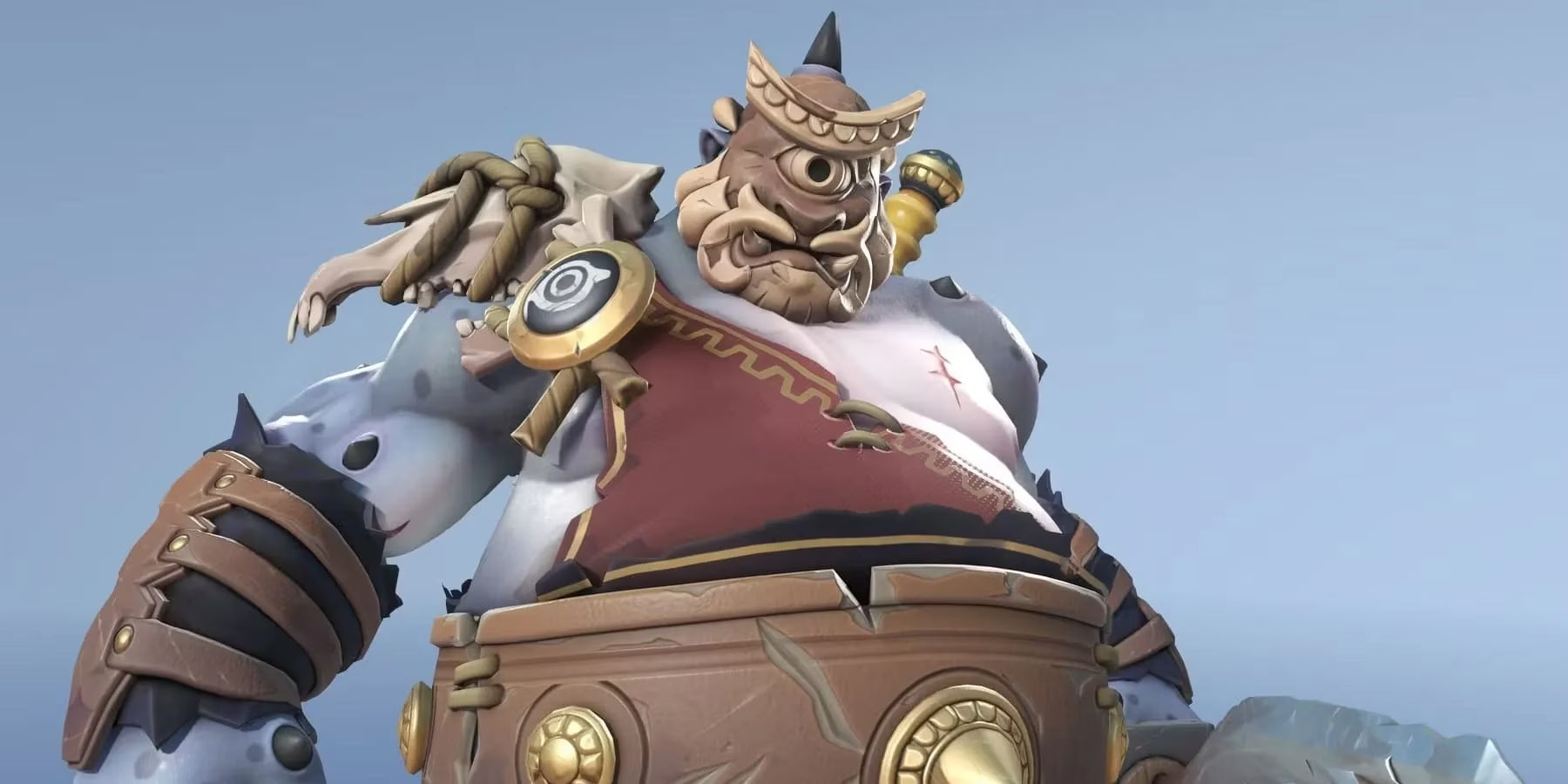
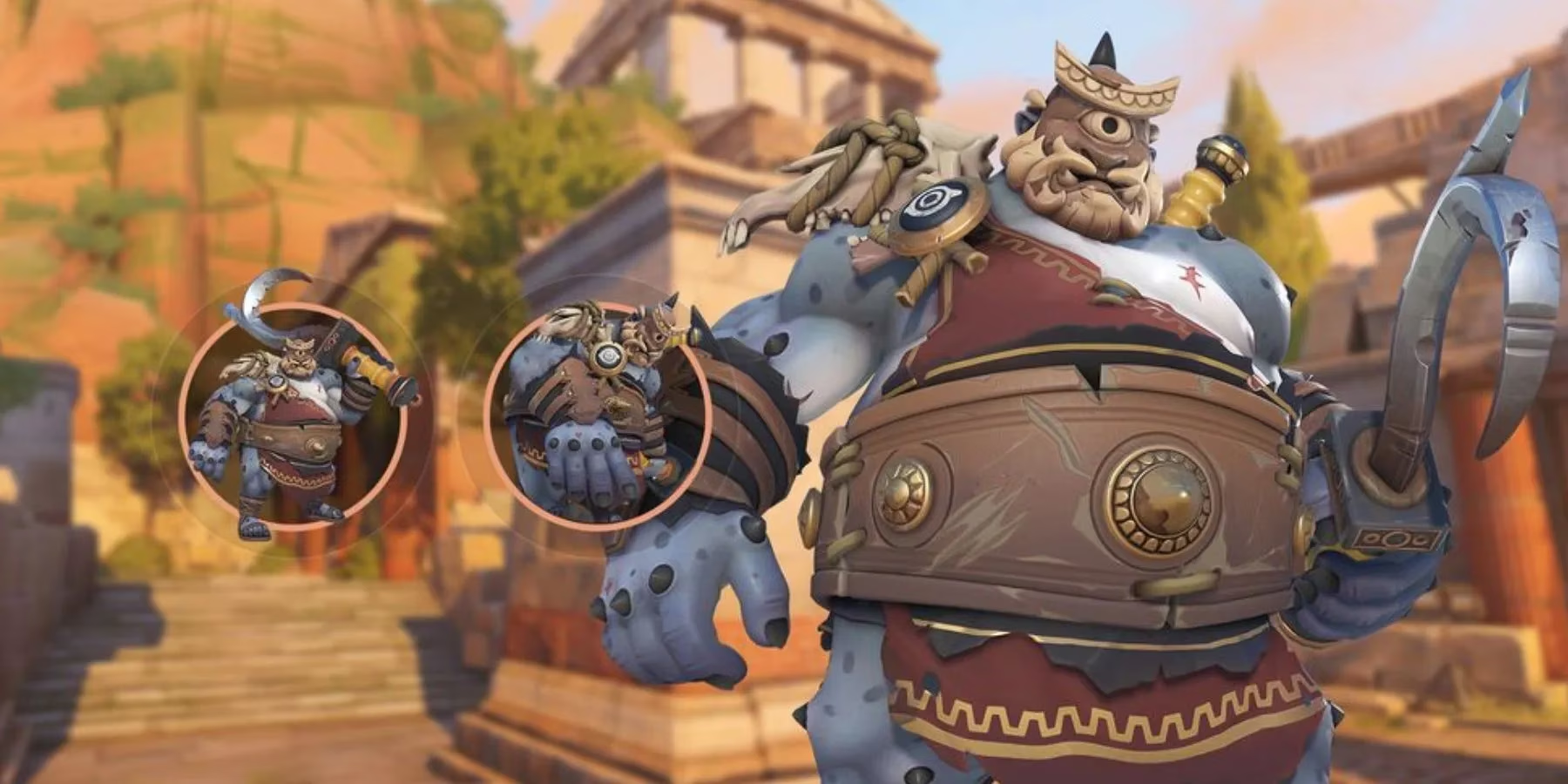
This isn't just any ordinary skin drop; it's a strategic move by Blizzard to boost engagement and viewership on Twitch, creating a win-win scenario. The Cyclops skin transforms Roadhog into a hulking, one-eyed behemoth, complete with intricate armor details and a menacing aesthetic that perfectly complements his brutal playstyle. For many players who missed out during the initial event, this is a golden opportunity to snag a highly coveted item. The hype is real, and the community is buzzing with excitement, ready to grind those watch hours for a chance to own this legendary cosmetic.
🎮 How to Claim Your Free Cyclops Roadhog Skin
Before you can start earning this epic skin, there's a crucial first step: linking your accounts. You gotta connect the dots between your Battle.net and Twitch accounts. Here’s a step-by-step breakdown to get you set up without a hitch:
-
Open the Battle.net launcher on your PC or Mac.
-
Click on your username or BattleTag in the top-right corner, then select 'View Account' from the dropdown menu.
-
A new browser window will open. Scroll down to the 'Connections' or 'Links' section (the exact wording may vary).
-
Look for an 'Edit' or 'Add Link' button, usually in the top-right corner of that section.
-
Click it and choose Twitch from the list of available platforms.
-
You'll be prompted to log into your Twitch account. Follow the authorization steps.
-
Once linked, you should see your Twitch username displayed in your Battle.net connections, typically in a format like:
https://www.twitch.tv/YourUsernameHere.
Pro Tip: Double-check this connection before the drop period starts to avoid any last-minute panic. Nothing's worse than realizing your accounts aren't talking to each other when the clock is ticking!
⏰ The Earning Schedule: A Marathon, Not a Sprint
The Roadhog Cyclops skin will be available as a Twitch drop during a specific window. Based on the structure from previous seasons, the earning period typically follows a tiered system with cumulative watch time. Players must tune into official Overwatch 2 streams or partnered streamers who have 'Drops Enabled' for the event.
Here’s a hypothetical breakdown of how the progression might work for Season 10, following the established pattern:
| Reward Tier | Total Watch Time Required | Reward Unlocked |
|---|---|---|
| Tier 1 | 2 hours | Epic Highlight Intro: 'Crushing Blow' |
| Tier 2 | 5 hours | Rare Pose: 'On the Shoulder' |
| Tier 3 | 9 hours | Legendary Skin: 'Cyclops' for Roadhog |
The key here is cumulative time. You don't have to watch for 9 hours straight—thank goodness! You can spread your viewing across multiple streams and days within the event period. Just make sure the stream has "Drops Enabled" listed in its title or tags. It's a perfect excuse to discover new content creators while working towards an awesome reward.
✅ Claiming Your Rewards: Don't Forget This Step!
This is where many players, in their excitement, can slip up. Watching the required hours is only half the battle. Once you hit each time milestone (2 hours, 5 hours, 9 hours), you must manually claim the reward on Twitch.
-
Go to your Twitch Drops & Rewards inventory (accessible via your profile menu).
-
You should see the Overwatch 2 reward with a 'Claim' button next to it once the time requirement is met.
-
Click 'Claim' for each reward tier.
Only after claiming will the reward be queued to your linked Battle.net account. The final step? Launch Overwatch 2! The goodies should appear in your Hero Gallery under Roadhog's customization options the next time you log into the game. If they don't show up immediately, try restarting the game or waiting a short while—the system sometimes needs a minute to sync up.
🚀 Why This Matters for Overwatch 2 in 2026
As of 2026, Overwatch 2 continues to refine its live-service model. Offering a previously shop-exclusive legendary skin like the Cyclops Roadhog as a free Twitch drop is a savvy community engagement strategy. It rewards dedicated players and viewers, drives traffic to the streaming platform, and fosters a sense of goodwill. In an era where players are increasingly critical of monetization, these genuine 'freebie' opportunities are worth their weight in gold—or in this case, legendary skins.
For collectors and Roadhog mains, this is a no-brainer. The skin is a standout piece with unique visual and sound effects that make playing the hero feel fresh and powerful. So, mark your calendars, link those accounts, and get ready to support your favorite streamers. Earning the Cyclops skin might require a bit of a time investment, but for a legendary cosmetic of this caliber, it's an absolute steal. Happy watching, and may your hooks always find their mark! 🪝